Ultimate Hockey DJ app icon - hockey puck with music waves

ULTIMATE
HOCKEY DJ

YOUR RINK. YOUR SOUND. HYPE THE CROWD. IGNITE THE TEAM.

The ultimate sidekick for game day audio. Trigger goal songs, penalty music, power plays, and more with a single tap. Designed to work seamlessly with Apple Music. Built for the beautiful chaos of youth hockey.

10+
Built-in Events
3
Playback Modes
iOS 17+
Required

Download on the App Store

Free to download. Pro features available.
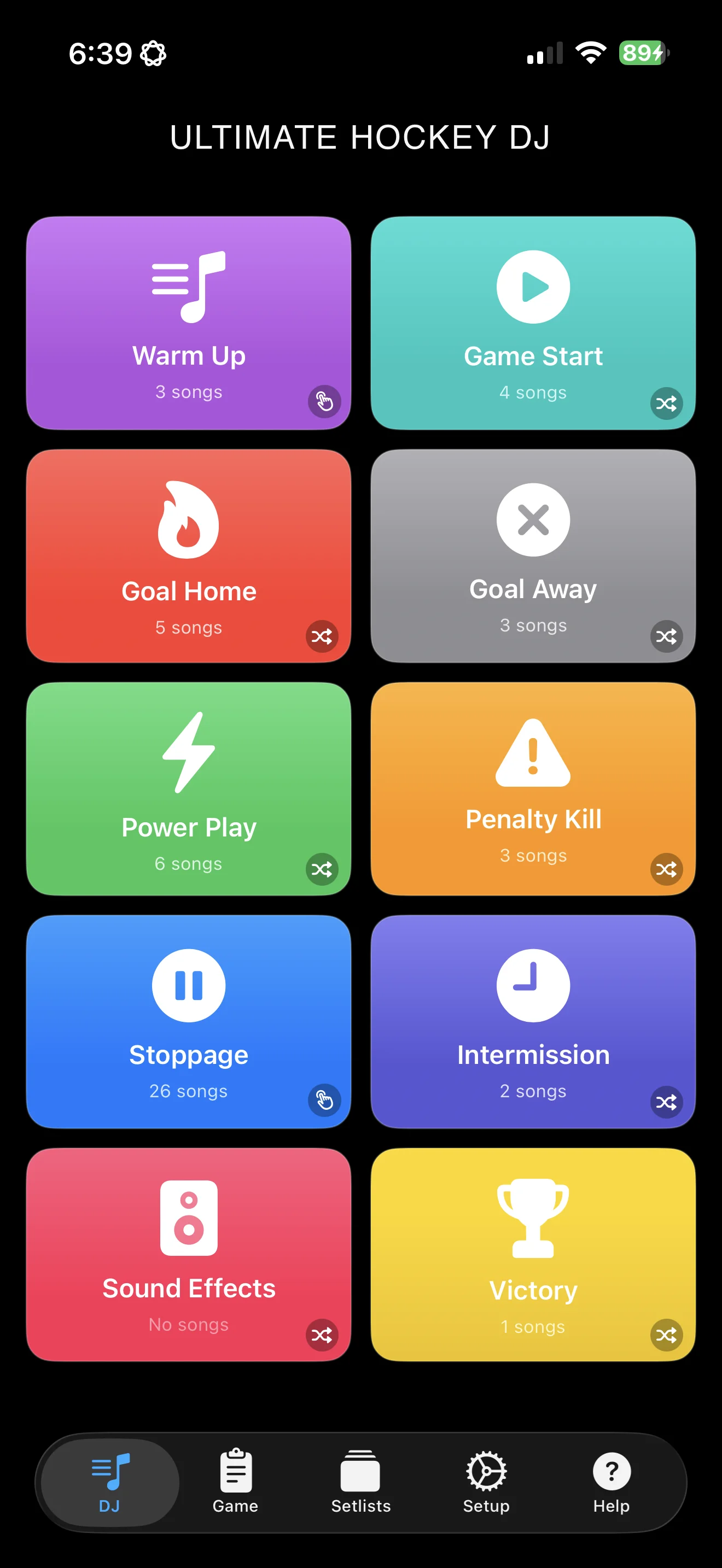
Ultimate Hockey DJ main screen showing colorful event buttons for goals, penalties, and power plays
🏒
🎵
🚨

10 BUILT-IN EVENTS

Pre-configured for hockey. One tap plays the perfect song.

🎵 Warm Up
Game Start
🔥 Goal Home
Goal Away
Power Play
⚠️ Penalty Kill
Stoppage
🕐 Intermission
🔊 Sound Effects
🏆 Victory

Pro users can create unlimited custom events with custom names, icons, and colors.

SEE IT IN ACTION

A powerful DJ console, professional audio editing, and smart event management — all in your pocket.

DJ console screen with one-tap event triggers for hockey game music

DJ CONSOLE

Large, colorful buttons for instant playback. Tap an event, hear the music.

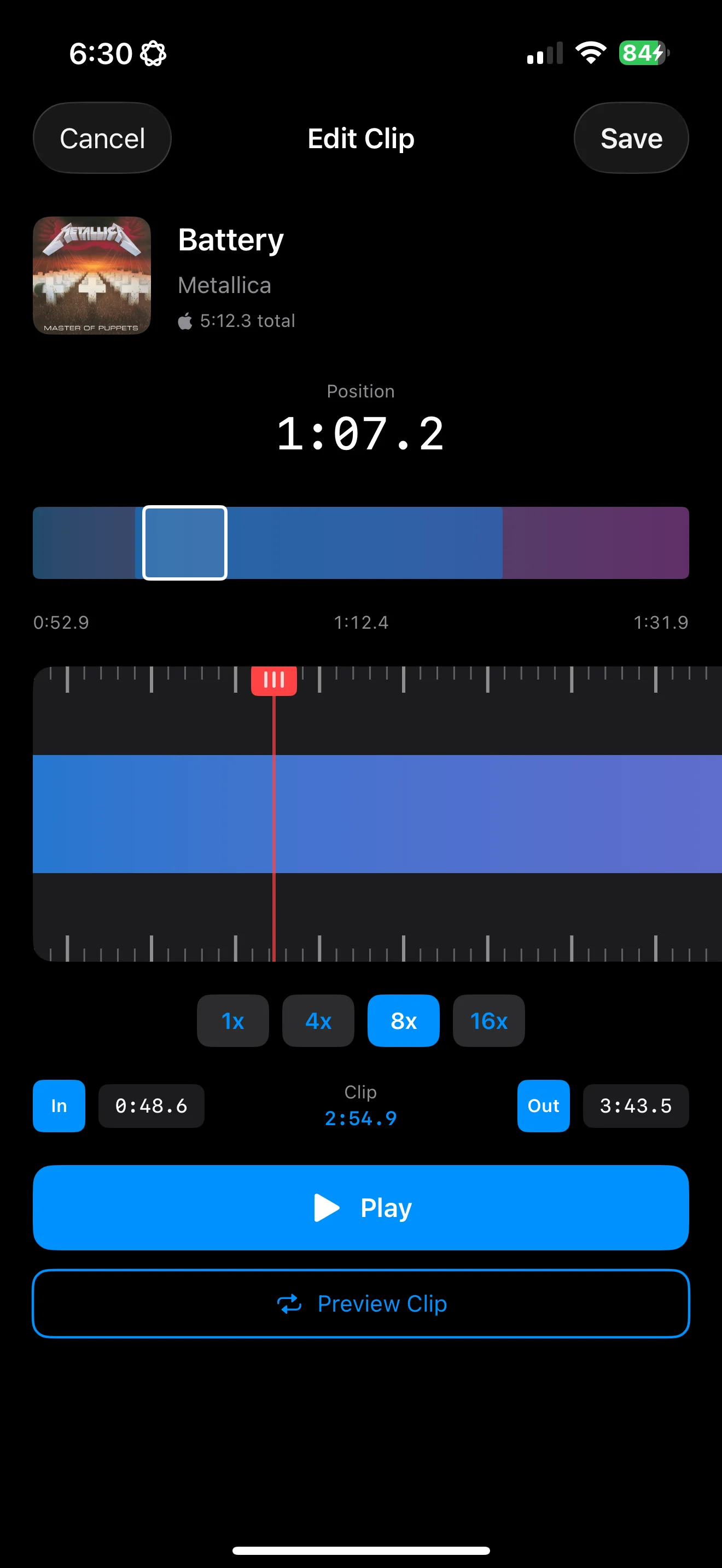
Audio clip editor with visual waveform and pinch-to-zoom for setting start and end points

CLIP EDITOR

Visual waveforms with pinch-to-zoom. Set perfect start and end points.

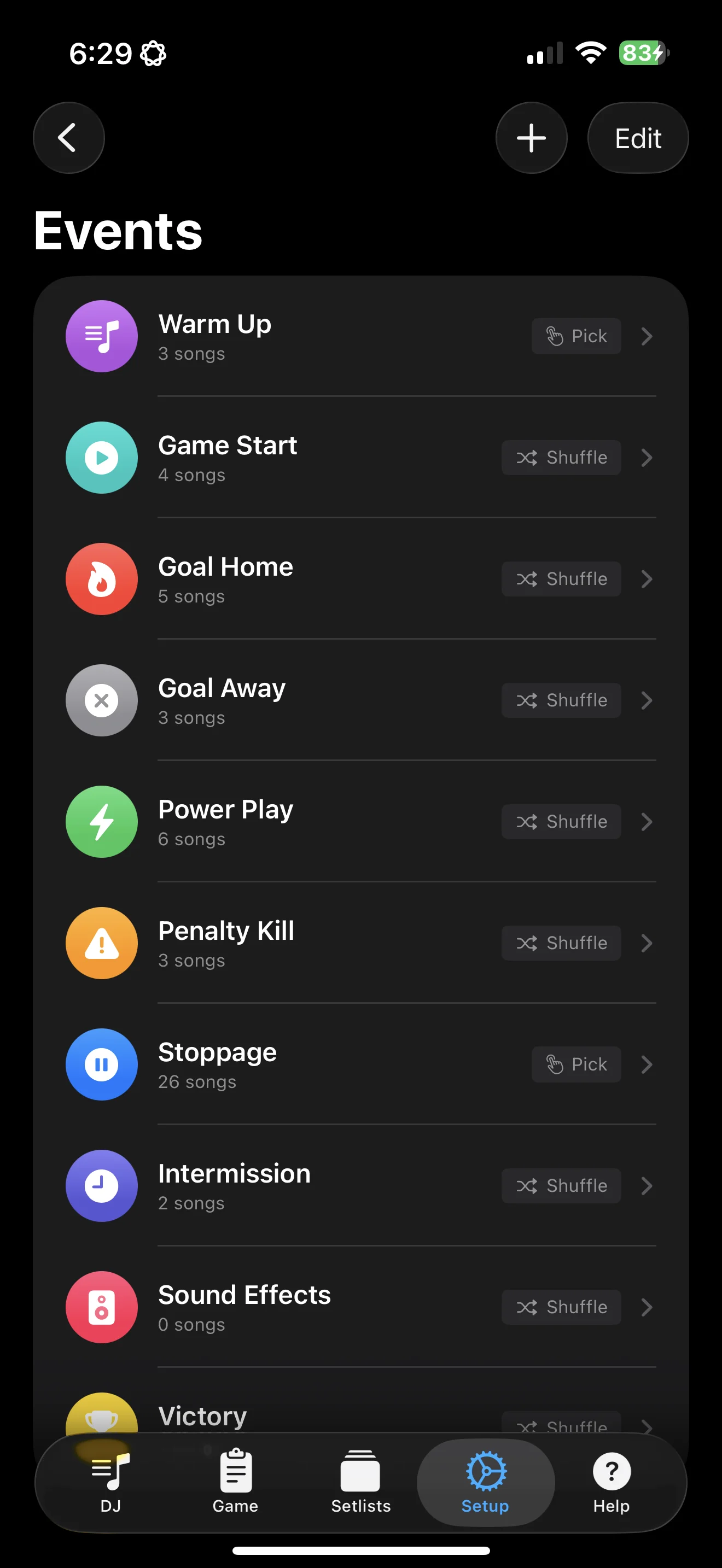
Event setup screen showing song assignments and playback mode configuration

EVENT SETUP

Configure events with multiple songs. Set playback modes per event.

WATCH IT IN ACTION

Quick demos of Ultimate Hockey DJ in action on game day.

GAME-CHANGING FEATURES

Everything you need to run the soundtrack for any hockey game, from mites to varsity.

ONE-TAP TRIGGERS

Instantly play songs with quick-tap buttons. 10 pre-configured events plus unlimited custom events for any situation.

SMART PLAYBACK

Shuffle never repeats until all songs play. Sequential follows your order. Manual lets you hand-pick each time.

YOUR MUSIC, YOUR WAY

Access millions of songs from Apple Music or import MP3, M4A, WAV, and AIFF files. Import from playlists or search the catalog.

PRO AUDIO EDITING

Visual waveform editor with pinch-to-zoom. Set custom clip lengths and add fade effects for professional transitions.

GAME TRACKING

Auto-start sessions on first play. Complete history with timestamps. Review your set during intermissions.

ICLOUD SYNC

Events, songs, and settings sync seamlessly across all your devices. Set up once, use anywhere.

PRO FEATURE

SETLISTS

Skip the setup grind. Load a professionally curated setlist and be game-ready in seconds.

🚀 New to DJ-ing? Start with a curated setlist and make it your own.

Curated setlists require an Apple Music subscription for playback.

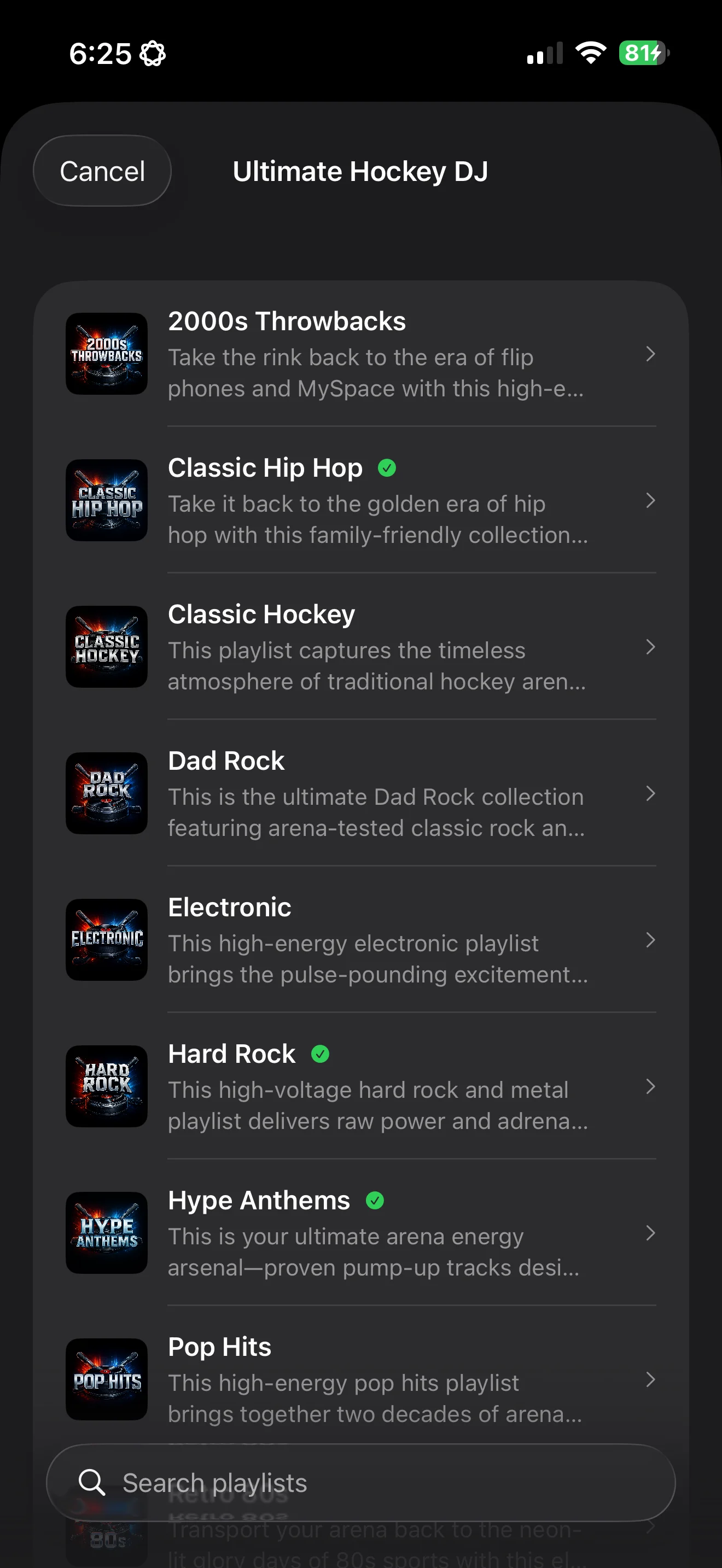
Browse curated hockey setlists including Classic Hip Hop, Dad Rock, and Hype Anthems
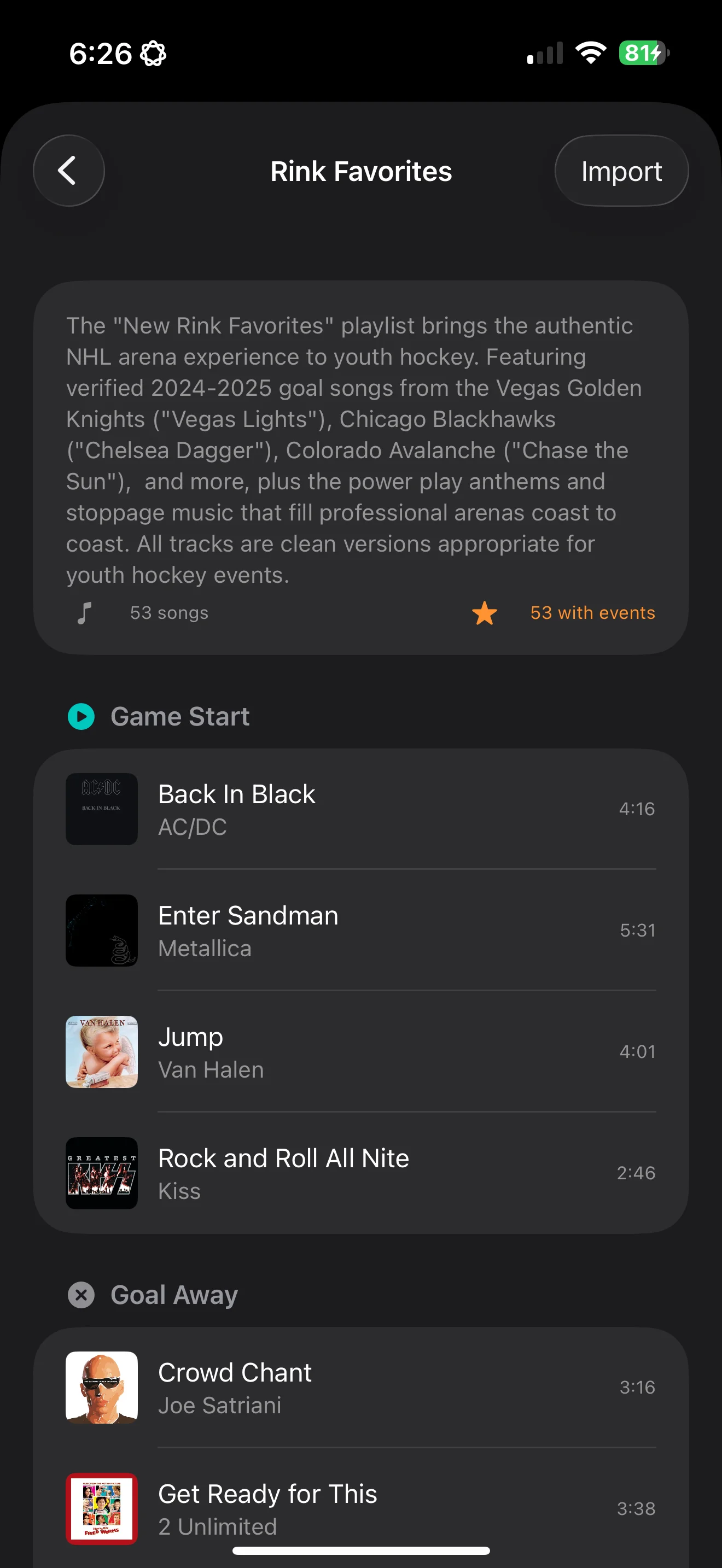
Setlist detail view showing songs assigned to each hockey event

INSTANT GAME-READY

No need to build from scratch. Load a curated setlist and you're ready to rock the rink in under a minute.

HAND-PICKED THEMES

Classic Hip Hop, Dad Rock, Hype Anthems, Pop Hits, Rink Favorites—professionally curated with arena-tested tracks.

SWAP IN SECONDS

80s Night? Rivalry game? Different venue? One tap switches your entire setup. Save your own winning configs too.

ALWAYS GROWING

New setlists added regularly—holiday themes, seasonal vibes, and fresh collections to keep your sound evolving.

HOW IT WORKS

Four steps to game-day audio perfection

1

ADD YOUR SONGS

Import from Apple Music playlists or drop in local files.

2

EDIT YOUR CLIPS

Set start and end times for each song. Goal songs should start at the chorus—the exciting part!

3

ASSIGN TO EVENTS

Perfect for intermission? Or your team's victory anthem? You decide which events get which songs.

4

TAP TO PLAY

One tap during the game plays the perfect song. The crowd goes wild. You're a hero.

PRO FEATURES

UNLOCK THE FULL EXPERIENCE

Free users get 10 songs and shuffle mode. Go Pro for the complete toolkit.

Unlimited Songs
Custom Events
3
Playback Modes
📋
Setlists
SEASON PASS
6-month subscription
LIFETIME
One-time purchase

COMMON QUESTIONS

Everything you need to know to get started.

Do I need an Apple Music subscription?

Only if you want to use Apple Music songs. You can search the Apple Music catalog without a subscription, but playback requires an active subscription. You can also import your own local audio files (MP3, M4A, WAV, AIFF) without any subscription.

How does Shuffle mode prevent repeats?

Shuffle mode tracks which songs have been played during the current game session. It won't repeat a song until all songs in that event's pool have been played, then the cycle resets. This ensures variety throughout the game.

What clip length should I use for goal songs?

We recommend 15-30 seconds for goal songs, starting at the most exciting part (usually the chorus). For intermission music, longer clips or full songs work great. Sound effects should be short and punchy.

Can I use the app offline?

Yes! Local audio files always work offline. For Apple Music songs, you'll need to download them first. Pro tip: export your current setup to an Apple Music playlist with one tap, then set that playlist to download automatically. All your game day songs, ready to go—no wifi required at the rink.

What do I get with Pro?

Pro unlocks four key features: Unlimited Songs (free users are limited to 10), Custom Events (create your own beyond the 10 built-in ones), All Playback Modes (Sequential and Manual modes in addition to Shuffle), and Setlists (save, load, and browse curated music configurations).

What are Setlists?

A Setlist is your complete game day music configuration saved and ready to go. It captures every song assigned to every event—goals, penalties, power plays, intermissions—so you can reload your perfect setup instantly or switch between different themes with a single tap. Browse curated setlists like Classic Hip Hop, Dad Rock, or Hype Anthems, or save your own winning configurations.

Do curated setlists require Apple Music?

Yes, curated setlists use songs from the Apple Music catalog and require an active Apple Music subscription for playback. You can browse and load the setlists without a subscription, but you'll need Apple Music to actually play the songs. Your own saved setlists can include local files, which don't require any subscription.

Can I customize a setlist after loading it?

Absolutely! Curated setlists are a starting point, not a straitjacket. After loading a setlist, you can add songs, remove tracks you don't like, swap events around, and tweak everything to match your crowd's vibe. When you've got it perfect, save it as your own setlist.

What happens to my songs when I load a setlist?

You choose! Add to Existing merges the setlist songs with your current setup—great for expanding your library. Replace All clears your current events and loads the setlist fresh—perfect for themed nights. The app will prompt you to save your current setup first, so you never lose your work.

What are my purchase options for Pro?

Two options: Season Pass is a 6-month subscription, perfect if you want to try Pro for a season. Lifetime is a one-time purchase that gives you permanent access to all Pro features forever—no recurring charges. Both options unlock the same features.

GAME DAY TIPS

Set yourself up for success before the puck drops.

🔋

CHARGE UP

Fully charge your device before the game.

🔕

DO NOT DISTURB

Enable DND to prevent interruptions mid-game.

🔊

TEST AUDIO

Connect and test volume levels during warmups.

📲

STAY FOCUSED

Keep the app in foreground for best performance.

🎵

NEED SONG IDEAS?

BEST HOCKEY GOAL SONGS & GAME DAY MUSIC

27 curated goal songs, warm-up anthems, power play bangers, and intermission hits for youth hockey.

GET ULTIMATE HOCKEY DJ

Download now and turn every game into an unforgettable experience. Free to try, Pro to master.

Download on the App Store

Requires iOS 17.0 or later.

Ultimate Dugout DJ app icon

ALSO FROM ULTIMATE SPORTS DJ

ULTIMATE DUGOUT DJ

Walkup music for your entire baseball roster. Available now for iOS.

Learn more